



Powering Precision: ThinkCar at JBTools.com
Posted by Emily R. on 2nd Oct 2025
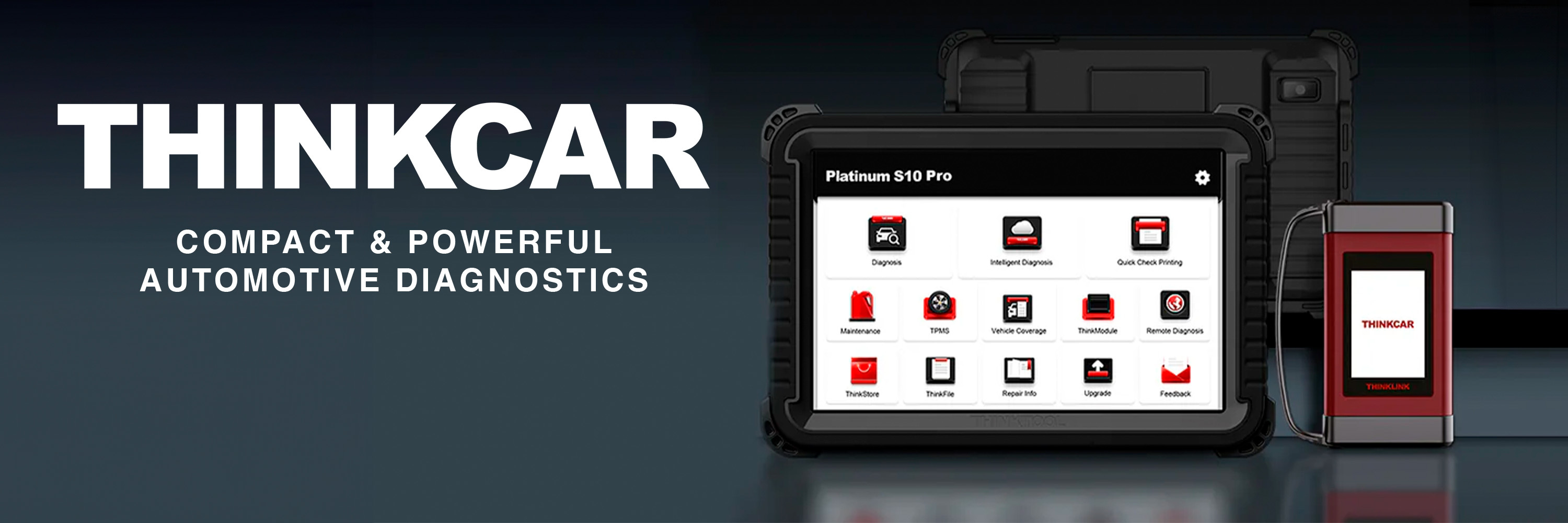
In an era where modern vehicles are as much “computers on wheels” as mechanical machines, having reliable diagnostic tools is no longer optional — it’s essential. That’s precisely the niche that ThinkCar fills, and JBTools has become one of its premier online resellers. With a broad lineup of advanced diagnostic hardware, firmware, and accessories, ThinkCar offers tools that appeal to both DIYers and professionals alike.
In this post, we’ll explore what sets ThinkCar apart, how JBTools supports the brand, and dive into three flagship products: the ThinkCar Advanced Ultra Diagnostic Tablet, the ThinkCar PS10 Pro 10″ OBD2 Scanner Tablet, and the ThinkCar TES-402 Endoscope.
The ThinkCar Story: Smart Diagnostics for Everyone
ThinkCar positions itself as more than a hardware manufacturer — it is a technology-forward diagnostic solutions provider. According to the company’s “About Us” page, ThinkCar was founded by automotive enthusiasts and engineers who wanted to merge traditional diagnostic principles with modern mobile and Internet technologies. They emphasize cost-efficiency, usability, and broad vehicle coverage as foundational goals.
Some key points about ThinkCar:
-
Technical roots: About 80 % of ThinkCar’s staff are drawn from automotive diagnostics or R&D backgrounds.
-
Scale and control: The brand maintains its own factory (20,000 m² scale), helping reduce costs and maintain quality.
-
Ecosystem and sub-brands: ThinkCar not only supports its own diagnostic lines (ThinkScan, ThinkDiag) but also operates sub-brands such as MUCAR.
-
Award recognitions: The company has secured design accolades (e.g. Red Dot, iF) and continues pushing innovation in diagnostics.
JBTools, in turn, has embraced ThinkCar as a pillar in its diagnostic tool category. Their ThinkCar landing page describes tools engineered to “empower users with accurate, efficient, and reliable solutions” for modern vehicles. JBTools also carries more than 60 ThinkCar products, giving customers a wide selection across price ranges.
This alignment — between ThinkCar’s mission and JBTools’ distribution strategy — has allowed the brand to reach a wider audience of car owners, mobile techs, and repair shops. The following product deep dives will illustrate how ThinkCar packaging, features, and performance compete.
Product Spotlight #1: ThinkCar Advanced Ultra Diagnostic Tablet
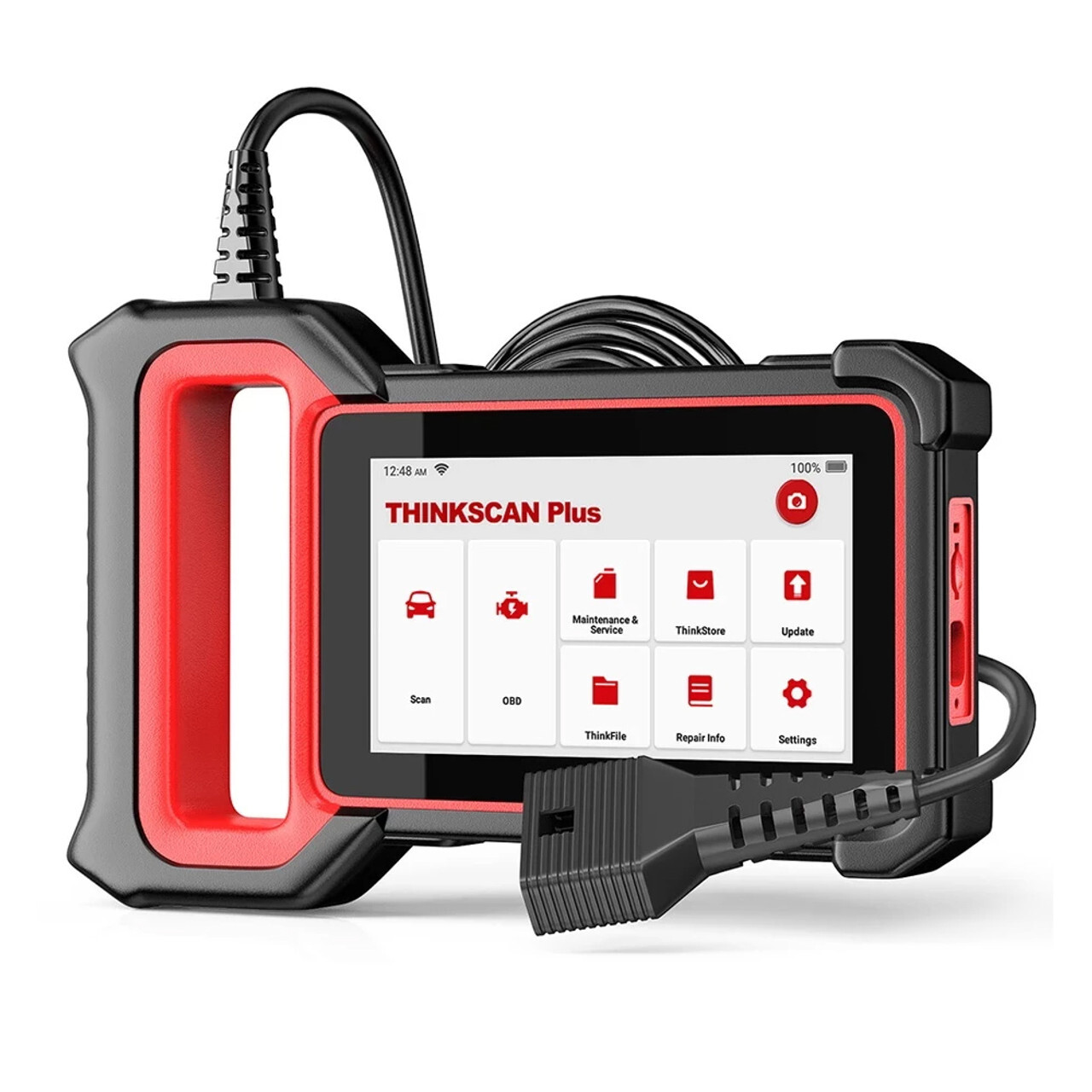
When a user needs a tool capable of thorough, professional-grade diagnostics across all vehicle systems, ThinkCar’s Advanced Ultra Diagnostic Tablet is a top-tier offering. Listed on JBTools as the “ThinkCar Advanced Ultra Diagnostic Tablet Scan Tool,” it sits near the high end of ThinkCar’s lineup.
Key Features & Strengths
-
Full system diagnostics: Unlike many OBD2 code readers that are limited to engine/EOBD data, this tablet supports full ECU scanning, including ABS, SRS, transmission, chassis, etc.
-
OE-level protocols: It supports a wide array of communication protocols (CAN, DoIP, etc.) enabling compatibility with newer and more complex vehicles.
-
User interface & hardware power: As a dedicated tablet, it typically has a larger screen, responsive UI, and comfortable ergonomics for long sessions.
-
Software flexibility: ThinkCar supports ongoing updates, brand module selection, and advanced features — which helps future-proof the tool.
-
Reporting and data handling: Diagnostic logs, on-screen visualizations, and exportable reports help techs communicate issues, verify repairs, and archive history.
In practical use, a shop or advanced DIYer could use this tablet to pinpoint faults deep in vehicle systems, command actuators, read live sensor data, perform resets, and even calibrate modules after repairs.
For those who demand maximum coverage and feature depth, the Advanced Ultra Tablet stands out as one of ThinkCar’s flagship “all-systems” tools on JBTools.
Product Spotlight #2: ThinkCar PS10 Pro 10″ OBD2 Scanner Tablet
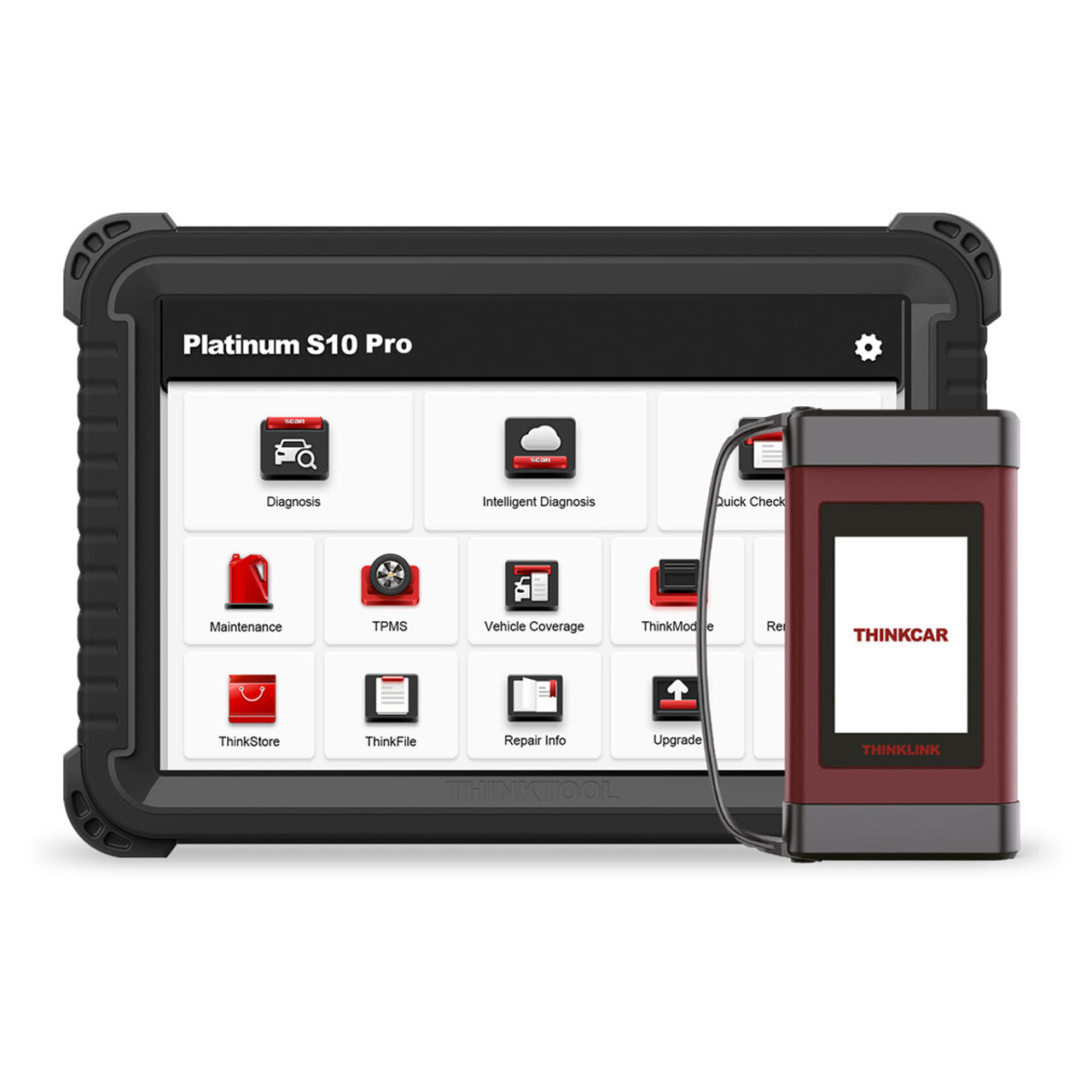
If the Advanced Ultra represents a full workshop tool, the ThinkCar PS10 Pro 10″ OBD2 Scanner Tablet is a highly capable mid-to-upper range choice that balances features and usability. JBTools offers it under its catalog with 35 functions and full OBD2 capabilities.
What Makes the PS10 Pro Special
-
Large tablet form factor: A 10-inch screen gives comfortable viewing of data streams, graphs, and guided repair menus.
-
35+ functions: Beyond basic reading/clearing of codes, the PS10 Pro supports a wide suite of maintenance operations (oil reset, EPB, DPF, etc.).
-
Multi-system scope: While not fully OE-level in every case, it still supports many common system scans needed in daily work.
-
Efficient workflow: Clear UI, intuitive navigation, and responsive performance help reduce time spent hunting diagnostics.
-
Balanced cost vs. capability: The PS10 Pro is ideal for techs who want much of the power of a true tablet scanner without the premium price of ultra-advanced tools.
In short, the PS10 Pro offers a smart middle ground: more power than a basic OBD2 reader, but still accessible and practical for frequent use. For many independent mechanics or serious DIYers, it offers “just enough” advanced capability without overpaying for features they seldom use.
Product Spotlight #3: ThinkCar TES-402 Endoscope
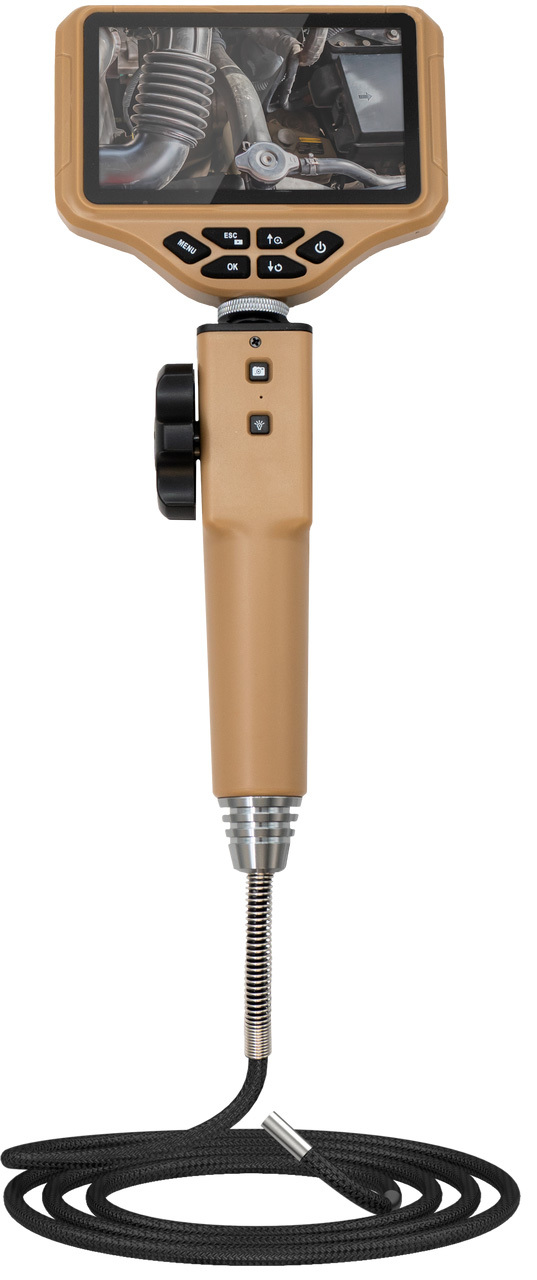
Not all issues show themselves on scan screens. Sometimes, you need eyes in tight, dark places — and that’s where the ThinkCar TES-402 Endoscope fits in. JBTools lists this as the ThinkCar TES-402 Endoscope (SKU 310050044) for visual inspections.
Why a Visual Inspection Tool Matters
-
Non-destructive diagnostics: Instead of tearing apart assemblies, techs can thread the camera into intake ports, behind panels, or inside housings to look for leaks, carbon buildup, wiring damage, or mechanical faults.
-
Flexible, illuminated probe: The TES-402 typically has a flexible probe with LED illumination, allowing navigation through bends and tight gaps.
-
Image/video capture: You can snapshot or record, aiding documentation and side-by-side comparison.
-
Integrates with diagnostic toolchain: Used in tandem with your scanner, you might verify a sensor fault, inspect EGR passages, or confirm mechanical damage.
Because scan data sometimes indicates “mass airflow abnormality” or “EGR blockage,” pairing a endoscope helps verify whether the fault is software, sensor, or physical. The TES-402 is a savvy add-on that enhances diagnostic confidence without requiring full disassembly.
Why ThinkCar Tools Shine — And Why JBTools Is the Go-To Retailer
To understand the appeal of ThinkCar tools (beyond raw features), let’s consider a few strategic advantages—and how JBTools bolsters them.
Strengths of ThinkCar
-
Broad vehicle coverage
ThinkCar claims support for ~95 % of vehicles in the market. That means fewer blind spots when diagnosing uncommon models or imports. -
Modular / scalable software model
Users can select vehicle modules and features they need rather than pay for a “one size fits all” premium.
This flexible licensing model helps lower entry costs without forcing feature limitations later. -
Continuous firmware updates & support
ThinkCar emphasizes frequent software upgrades to expand coverage and improve functionality.
That keeps devices relevant as vehicle systems evolve. -
Design quality & usability
Awards (e.g. Red Dot, iF) reflect attention to intuitive form, layout, and physical ergonomics.
A well-designed tool reduces fatigue and speeds diagnostics. -
Ecosystem of accessories and add-ons
Beyond scan tools, ThinkCar supports TPMS tools, endoscopes, power supplies, and more — creating a cohesive ecosystem.
Why JBTools Is an Ideal Channel
-
Wide ThinkCar catalog: JBTools carries over 60 ThinkCar items, giving customers access to entry-level, mid-tier, and premium tools in one place.
-
Tool specialization: As a specialty automotive tool retailer, JBTools understands the needs, specs, and support expectations of mechanics and serious DIYers.
-
Competitive pricing and local availability: JBTools often ships from U.S. warehouses or has inventory advantages relative to grey-market sellers.
-
Support alignment: Being a recognized partner adds credibility to warranty, support, and returns.
Together, ThinkCar’s innovation and JBTools’ distribution make a compelling combination for those seeking professional gear without the OEM pricing premiums.
Buying Tips & Considerations
Before selecting a ThinkCar tool (especially through JBTools), here are a few pointers:
-
Match the tool to your use case
If you mostly service few repeat models, a mid-range scanner may suffice. If you need full system access, go for the Ultra series. -
Understand software licensing and subscriptions
Some advanced functions or vehicle modules may require additional licensing via ThinkCar’s T-Code or module subscription models. -
Check vehicle compatibility and protocol support
For newer vehicles (CAN FD, DoIP), ensure your scanner supports those. ThinkCar tools tend to support wide protocol sets but always confirm. -
Bundle wisely
Pairing a scanner with an endoscope is often cost-effective. The TES-402 adds value beyond just scanning — a practical visual inspection tool. -
Update firmware regularly
After purchase, synchronize the tool with ThinkCar’s update servers to get the latest fixes, model additions, and improvements. -
Leverage JBTools support and warranty
Buying via JBTools may simplify warranty claims, return handling, or support liaison compared to unknown resellers.
Conclusion
ThinkCar has carved a distinct niche in the automotive diagnostics space by combining smart, modular software with capable hardware — all delivered at a cost point that appeals to independent shops, mobile techs, and serious DIYers. JBTools, by offering a broad ThinkCar catalog and supporting infrastructure, acts as an excellent bridge between the brand and its audience.
The Advanced Ultra Diagnostic Tablet, PS10 Pro 10″ Scanner, and TES-402 Endoscope illustrate how ThinkCar’s approach unites deep system diagnostics, practical maintenance functions, and visual inspection tools into a cohesive workflow. Whether you’re chasing down stubborn faults, performing fleet servicing, or validating component issues, these tools can enhance speed, accuracy, and confidence.
If you’d like help comparing ThinkCar tools versus competitors, or want a buyer’s guide tailored to your shop or vehicle mix, I’m happy to help next.